The Research Agent sends subagents through manufacturer sites, data sheets and retailer sources in parallel. It merges what they find, rates every value and adds it to your PIM as a draft.
Shops, marketplaces and AI assistants find a product through its data. When dimensions, weight or power are missing, someone searches manufacturer sites, opens data sheets, compares retailer listings and types the values in. Product by product, without recording where a value came from.
Four steps from an empty field to a value with a source.
The Research Agent starts with what the product already holds, such as name, brand or EAN, and with the attributes you select.
Subagents search manufacturer sites, data sheets and retailer sources at the same time. With the source prompt you decide which sources they prefer, for example only the official manufacturer site.
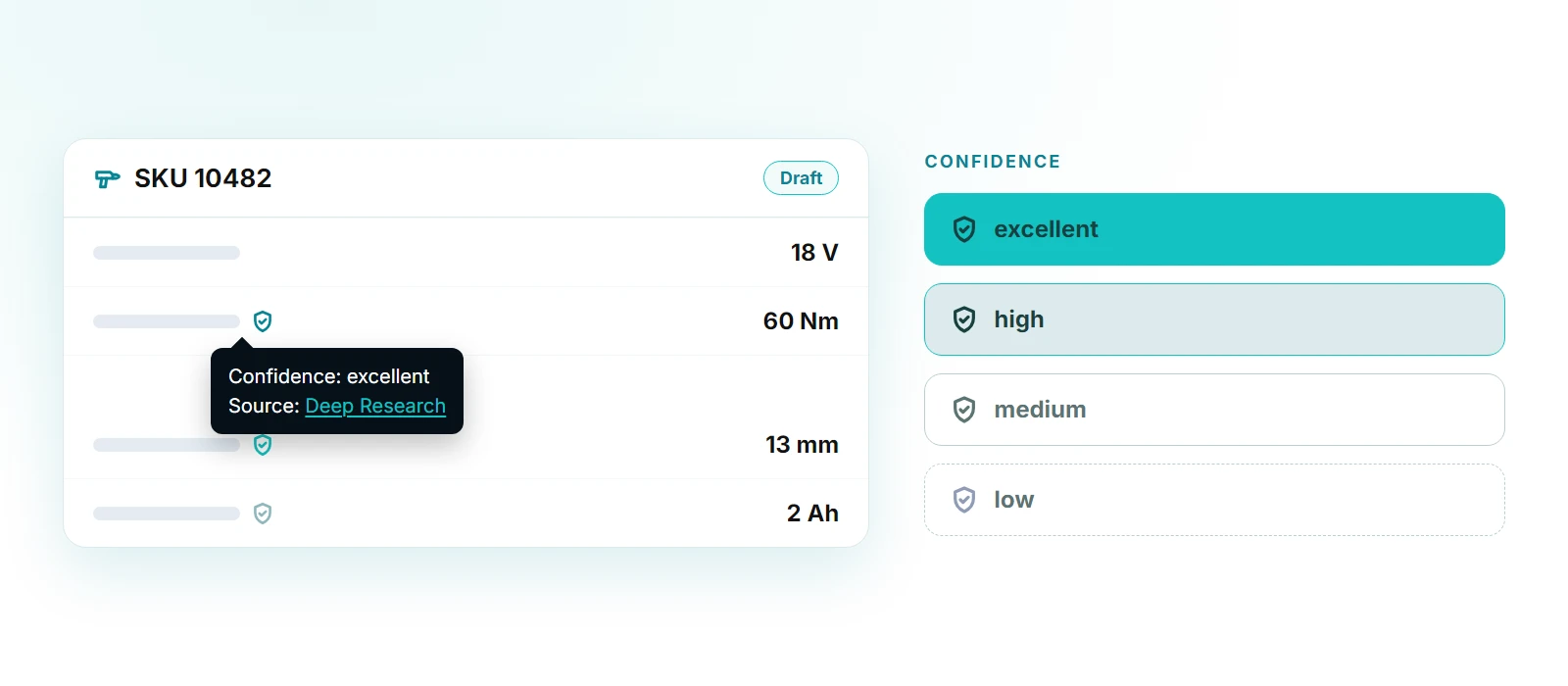
The Research Agent compares what it found. If the manufacturer site and other authoritative sources confirm a value, it is rated excellent; from one trusted source, high; only from retailer sources, medium; contradictory data, low.
Every value lands in the draft, with a link to its source and its confidence level. You review, filter by level and submit the draft. Only then does it become official.
You choose the attributes to research. A prompt per attribute describes what to look for.
The source prompt sets which sources to trust, the extraction prompt how a value is written, for example power in watts.
You decide whether existing values are overwritten or only empty fields are filled.
The confidence filter shows you exactly the values that still need a look.
In a product’s draft via “ai Features”.
As a bulk action for the products selected in the PIM list. Subagents work through several products at once.
With Deep Research switched on for an input channel, the Research Agent fills in what the file is missing.
As a “Deep Research” step, for example right after new supplier data is imported.
From online sources such as manufacturer sites, data sheets and retailer listings. Every value links to the page it came from.
excellent: the manufacturer site and other authoritative sources agree. high: one trusted source. medium: retailer or secondary sources only. low: weak or contradictory data.
No. It writes to the draft. A value only becomes official once you submit the draft. It overwrites existing values only if you switch that on.
Yes. With the source prompt, for example “Only use data from the manufacturer’s official website”.
The Research Agent finds facts in sources and backs them up. The Enrichment Agent turns them into titles, descriptions and bullet points.
See in a demo how the Research Agent finds and backs up missing values for your products.